 Bigscreen Room
Bigscreen Scoreboard & LED
You are hereScoreboard, sponsors, match graphics and LED boards for sport — from the local hall to the stadium.
Go to bigscreen.dk →The guest opens a browser, enters the code shown on the display, and appears on the wall. Nothing to install. Up to four guests: one full screen, two side by side, three or four in a grid.
Part of Bigscreen · same company, same support
Bigscreen Room is an app for screens in meeting rooms, showrooms and similar spaces. It shows NDI sources, images, video clips and playlists full screen or split into panes, and you control it from a web page with cue buttons. Room runs on an Apple TV 4K or a Mac mini.
An app for screens in meeting rooms, showrooms and similar spaces — not a vision mixer for the hall, and not a video wall for the control room.
Cue buttons, playback and a black screen live on a control page in the browser. You don't type on the display itself.
A code is shown on the screen. The guest opens a browser, follows the connection steps and shares their screen. Up to four guests at a time.
Pick NDI sources from the network, and send the whole programme back out as NDI, with picture and sound. Room can also show Bigscreen Producer's NDI output.
Choose the layout that fits what you are showing.
One source fills the whole screen.
Two sources side by side.
A grid of four panes.
One large surface and two smaller panes.
One source sits over another.
You run the programme from a web page. Cue buttons can interrupt what is playing and return to it afterwards — or become the new programme. Transitions are cut or fade. Play, pause and stop apply to one pane or to all at once. Several clips can be made ready and started together.
A media library, playlists, NDI, a start screen and a local HTTP API — all run from the control page.
Pick NDI sources from the network and show them in a pane or full screen.
The whole programme, with picture and sound, is sent on as an NDI source.
Upload images and video to the library. HEVC is transcoded automatically.
Put clips in sequence and play them in a pane or full screen.
Play, pause and stop on each pane or on all at once. Several clips can be made ready and started together.
A cue can interrupt the programme and return to it afterwards, or become the new programme. Transitions are cut or fade.
Take the screen to black when you have nothing to show.
An animated start screen with several backgrounds to choose from. Your own logo can appear on the waiting screen.
Choose the display the programme should appear on. The choice is remembered.
A local HTTP API for controlling Room.
Danish, English and German on the display and on the control page.
Room can show Bigscreen Producer's NDI output on the screen in the room.
Room is meant for meeting rooms, showrooms and similar places where the screen should run a programme — and where guests occasionally need to share their own display.
A programme on the screen, run from the control page, and screen sharing from a guest's browser when you need it.
NDI, images, video clips and playlists in the layout you choose — with cue buttons when the programme needs to change.
Other rooms where an Apple TV 4K or a Mac mini should drive the screen, and where guests should be able to share without an app.
Room runs on an Apple TV 4K or a Mac mini that drives the screen in the room.
Show NDI sources, images, video clips or playlists full screen or in panes.
Cue buttons, playback and a black screen live on a web page.
The code is shown on the screen. The guest shares from their browser and sees the connection steps.
Same company, same support, same thinking — each product for its own surface.
Scoreboard, sponsors, match graphics and LED boards for sport — from the local hall to the stadium.
Go to bigscreen.dk →The vision mixer for the big screen: Preview and Program, TAKE, AUTO and T-bar, NDI sources with audio — run from the control screen or a third-party hardware panel.
Go to bigscreenproducer.dk →A software video wall for control rooms, NOC, SOC and broadcast — place every source freely on one canvas, no fixed grid.
Go to bigscreencanvas.com →An app for screens in meeting rooms, showrooms and similar spaces. NDI sources, images, video clips and playlists — full screen or split into panes — and wireless screen sharing from a browser.
Go to bigscreenroom.com →For information screens — ads and content, managed from the Bigscreen cloud CMS, in airports, on roadside pylons, in stairwells, at hotel receptions and other places.
Go to bigscreenplayer.com →Bigscreen Room is an app for screens in meeting rooms, showrooms and similar spaces. It shows NDI sources, images, video clips and playlists full screen or split into panes, and is controlled from a web page with cue buttons.
NDI sources from the network, images and video clips from the media library, playlists — and guests' screens when they share from a browser. The layouts are full screen, 2 panes, 4 panes, 1+2 and picture-in-picture.
A code is shown on the screen. The guest opens a browser, follows the connection steps and shares their screen — with no app to install. Up to four guests: one full screen, two side by side, three or four in a grid.
Yes. Room can show Bigscreen Producer's NDI output. Room can also send its own programme on as an NDI source, with picture and sound.
An Apple TV 4K or a Mac mini.
Danish, English and German on the display and on the control page.
Email us at [email protected], or book a demo. We will gladly tell you more about Room.
A monthly licence per screen, and a box: an Apple TV 4K or a Mac mini.
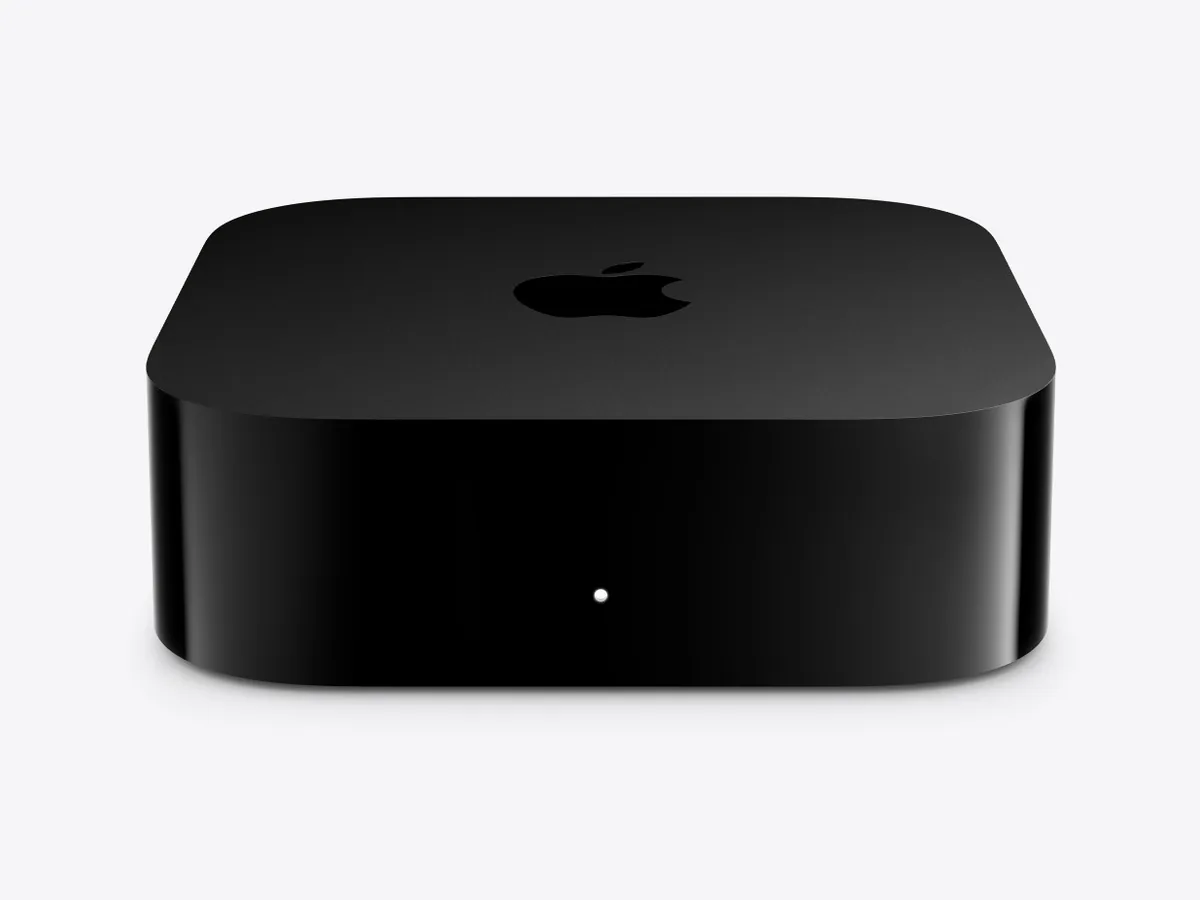
An Apple TV 4K, locked to our app.
Contact us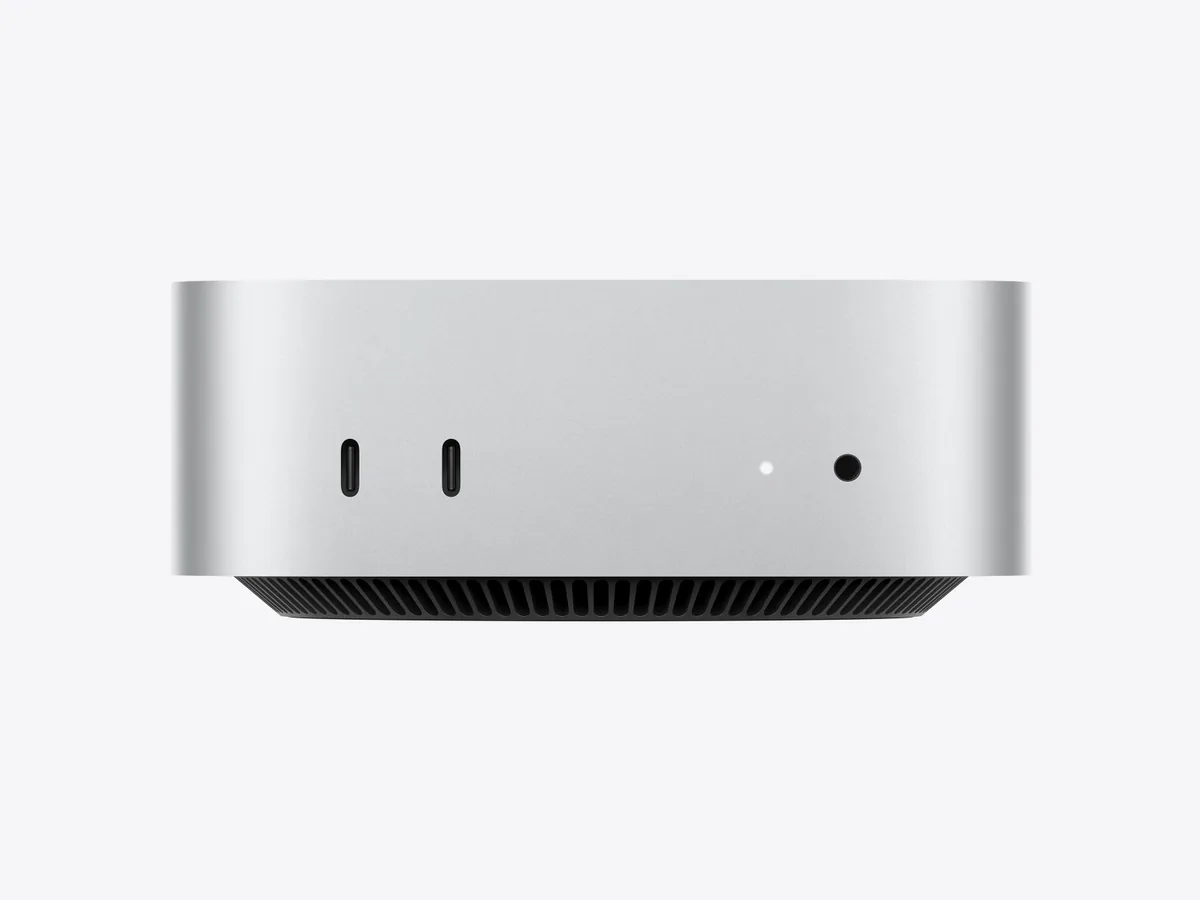
A Mac mini as the box.
Contact usEmail [email protected], or book a demo.